Connect your calendar
Connect Google Calendar so Tandem offers candidates only your free time and adds booked interviews. Tandem supports Google Calendar only.
Connect Google Calendar
Open Calendar
Select Calendar in the sidebar.
Select Connect Google Calendar
Sign in with Google in the new tab. When you come back, Calendar shows your Google account.
You can also connect during your first setup, or select Skip for now and connect later.
What Tandem sees
Tandem reads only whether a time is free or busy, not what your events are. Candidates see nothing from your calendar. When a candidate books, Tandem adds the interview to your calendar and sends invites to the attendees.
Set your hours
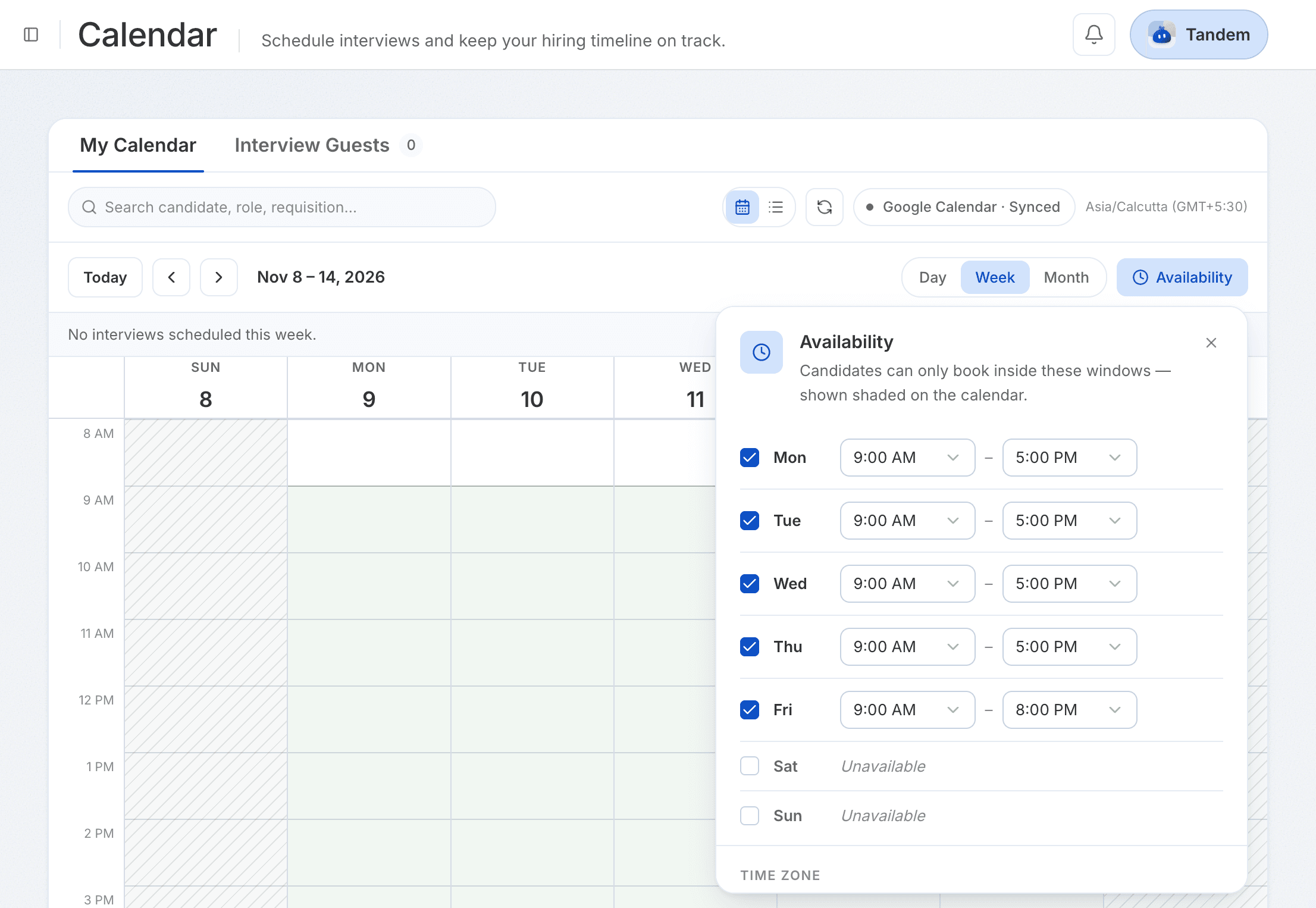
Select Availability to choose the days and hours candidates can book, and your time zone. Changes save on their own.
Related: Scheduling and your calendar
If candidates can't book
Check that Calendar shows your Google account and that your availability is saved, then select Refresh. To disconnect, select Disconnect next to your account.