Roles overview
A role holds one hire in Tandem: the job, its hiring flow, its candidates and your chat, and everything you do happens inside it.
The Roles page
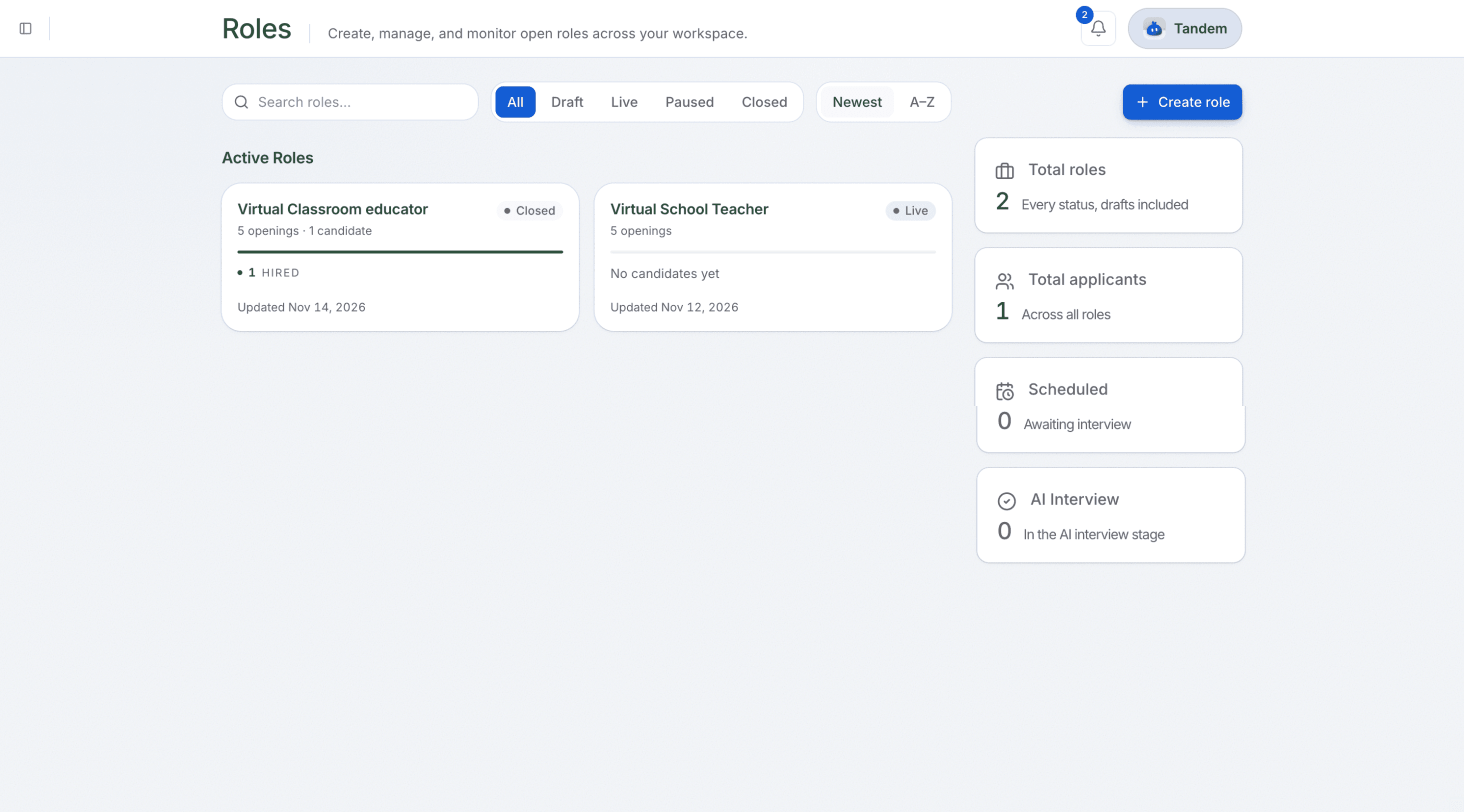
Open Roles to see every role in your workspace, drafts first.
Inside a role
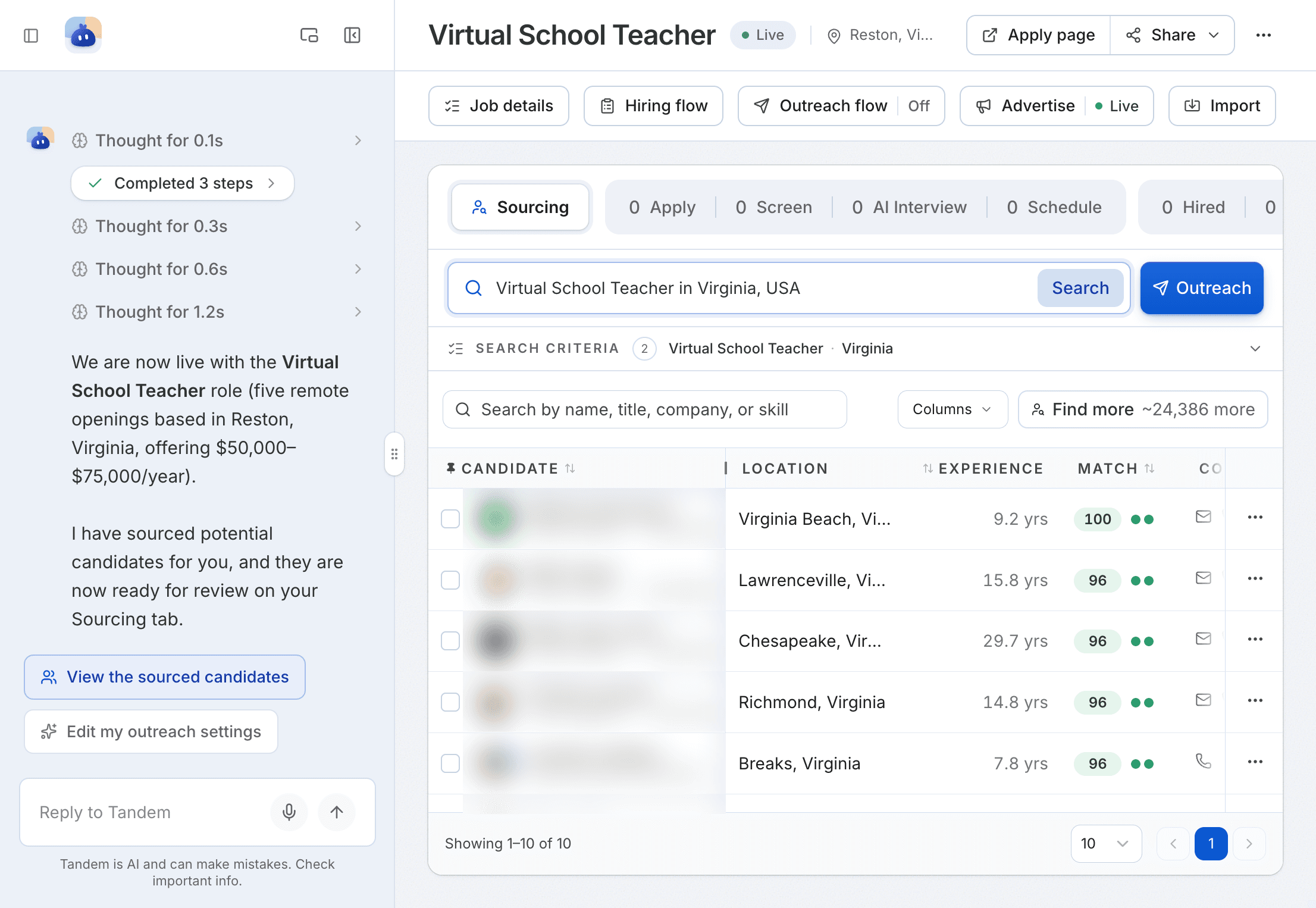
| Label | What it's for |
|---|---|
Job details | The summary and job description |
Hiring flow | The stages and how each one runs |
Outreach flow | Emails to people Tandem found or you added |
Advertise | Job ads for the role |
Import | Candidates you add by hand or CSV |
To move a candidate, use the Stage dropdown on their row.
A role's life
A role starts as a draft, which isn't public. When you make it live, its job page goes public and candidates can apply. You can pause it while hiring is on hold, and close it when you're done.
Welcome kit 3: Run AI interviews and make a decision
Let Tandem run the first AI interviews, read its reports, and make your first hiring decision: Tandem scores, you decide.
Create a role from a prompt
Describe the role in a sentence, with no form to fill in, and Tandem drafts it, asking for anything missing, such as pay or openings.