Find candidates
Run a candidate search
Search the open market from a live role in Tandem, read why each person matched, and load more results.
Search the open market
Open the Sourcing tab
Open a live role in Roles and select Sourcing.
Describe who you want
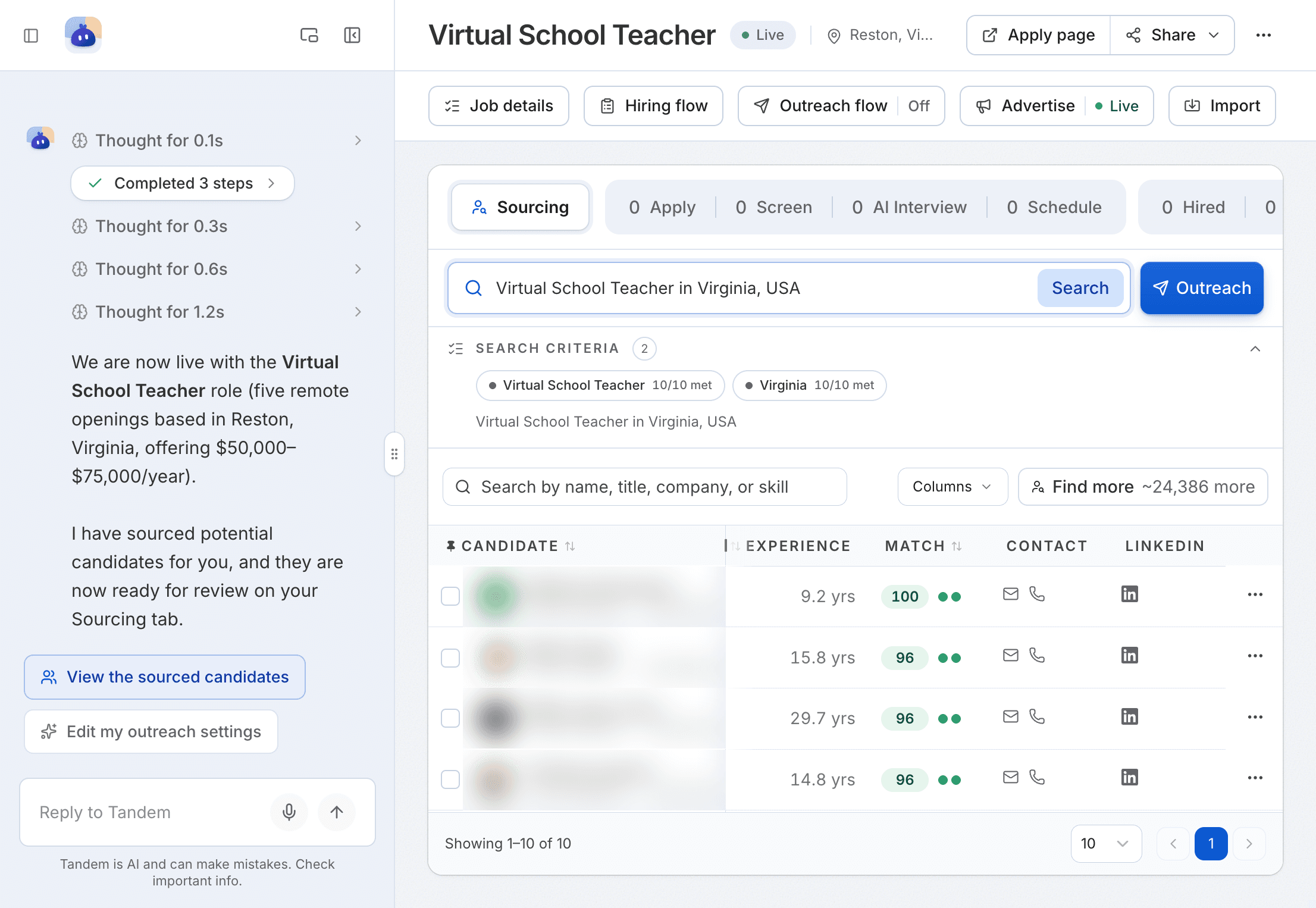
Type a search in Search the open market and click Search. For example: "software engineer in Bangalore".
Check the results
Tandem turns your search into Search criteria and lists the people who match, each with a match score out of 100.
Credits
Each new person a search returns uses 3 credits per candidate. People you've already seen are free.
Work with the results
| Label | What it's for |
|---|---|
| Filters | Narrow by name, title, company or skill |
Columns | Choose which columns to show |
Find more | Load more matches for the same search |
Outreach | Email the people you selected |
When a role goes live, Tandem runs a first search for you and reports the results in the role's chat.
Next: review a profile or reveal contact details.