Set up outreach for a role
Each Tandem role has one outreach email sequence: draft and edit it, then send it to people you pick or on a schedule.
Set up the emails
Draft the messages
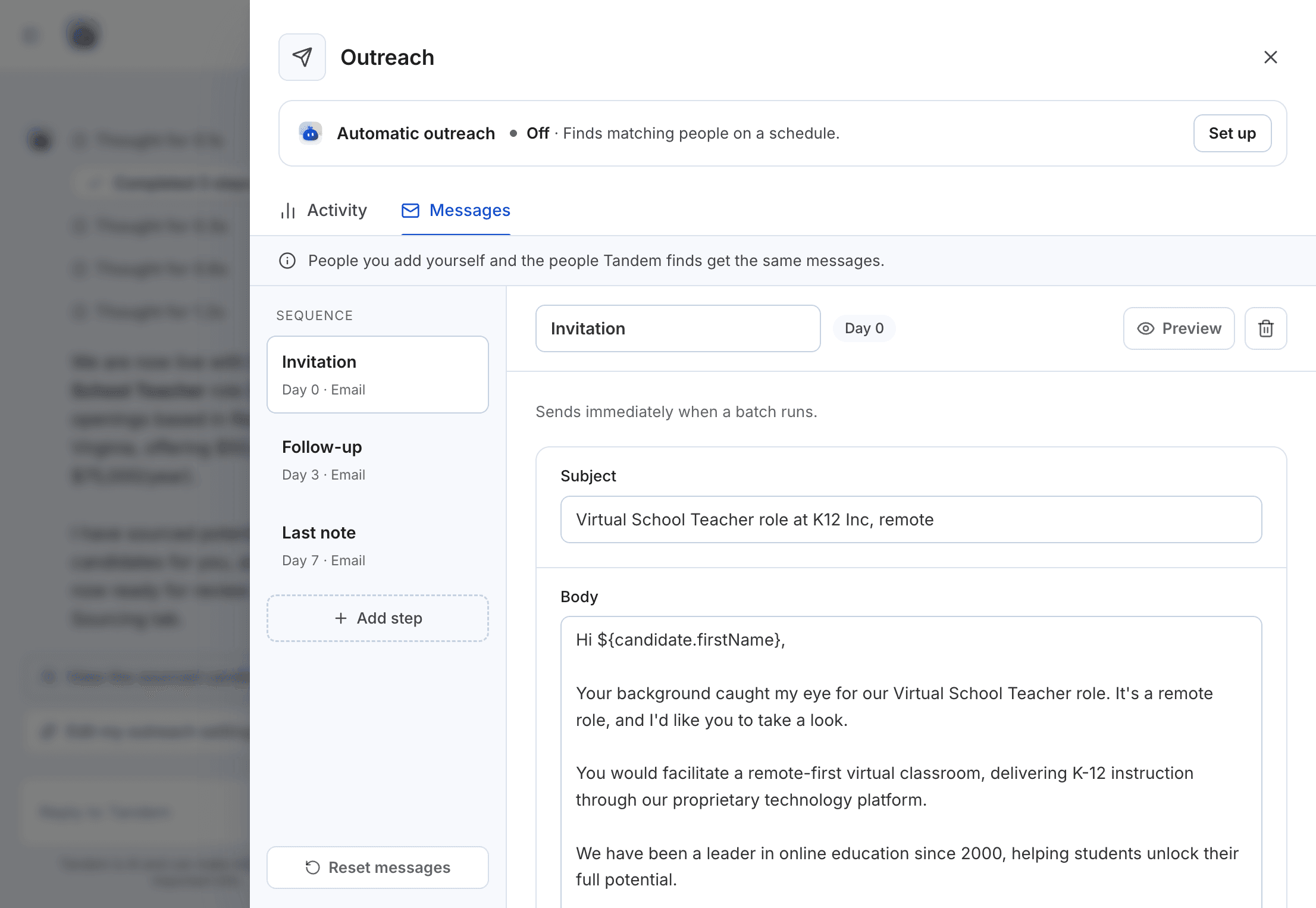
Open a live role, click Outreach flow, then Messages. If the role has no emails yet, click Draft messages. Tandem writes three from the job description: an invitation on day 0, a follow-up on day 3 and a last note on day 7.
Edit them
Click Edit message to change an email. Click Add step to add one: a sequence can have up to five emails, each at least one day after the one before. Reset messages takes you back to Tandem's drafts.
Preview them
Choose a candidate in Preview for to see the email as they'll get it.
Related: Preview what candidates receive
Send to people you pick
Select people in the Sourcing results or in Your candidates and click Add to outreach, up to 50 at a time. They get the sequence right away, and no schedule starts.
Or run Tandem's outreach on a schedule
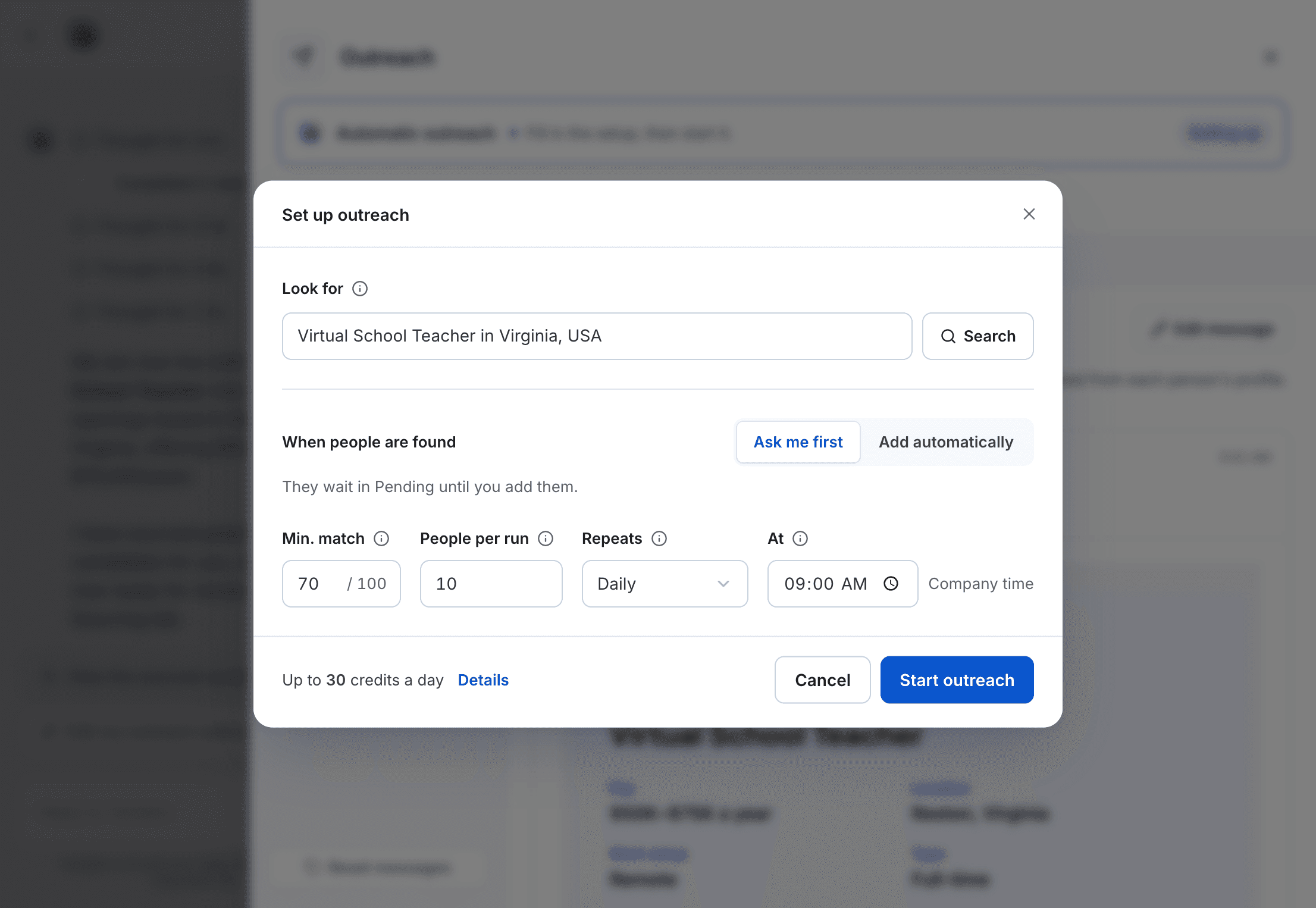
In Outreach flow, click Set up and fill in:
| Label | What it's for |
|---|---|
Describe the people you want | The search Tandem runs each time |
Min. match score | Lowest score that gets emailed, 0 to 100 |
People per run | How many are emailed each run, 1 to 50 |
How often | Daily, or every few hours |
Send time | Daily send time, in your company's local time |
Then click Start Tandem's outreach. You can pause or resume it at any time.
Credits
Each run uses credits for candidate search (3 credits per candidate). Revealing an email to send outreach is free.
Track results in Activity.
Related: Outreach FAQs