Your apply page and public job page
Every live Tandem role has a public job page, where candidates read about the role and apply by chatting with your assistant.
Find and share the page
Apply page, top of the role: opens the page.Hiring flow→Apply→Apply URL: copy the link.Share: post the role on X or LinkedIn.
The page includes job-posting data so Google for Jobs and other search engines can list it.
How candidates apply
Applying always runs through the chat. Before it starts, the assistant explains that it's an AI recruiting assistant, that AI may help screen and score the application, and that a person makes every hiring decision. The candidate accepts your privacy policy to continue.
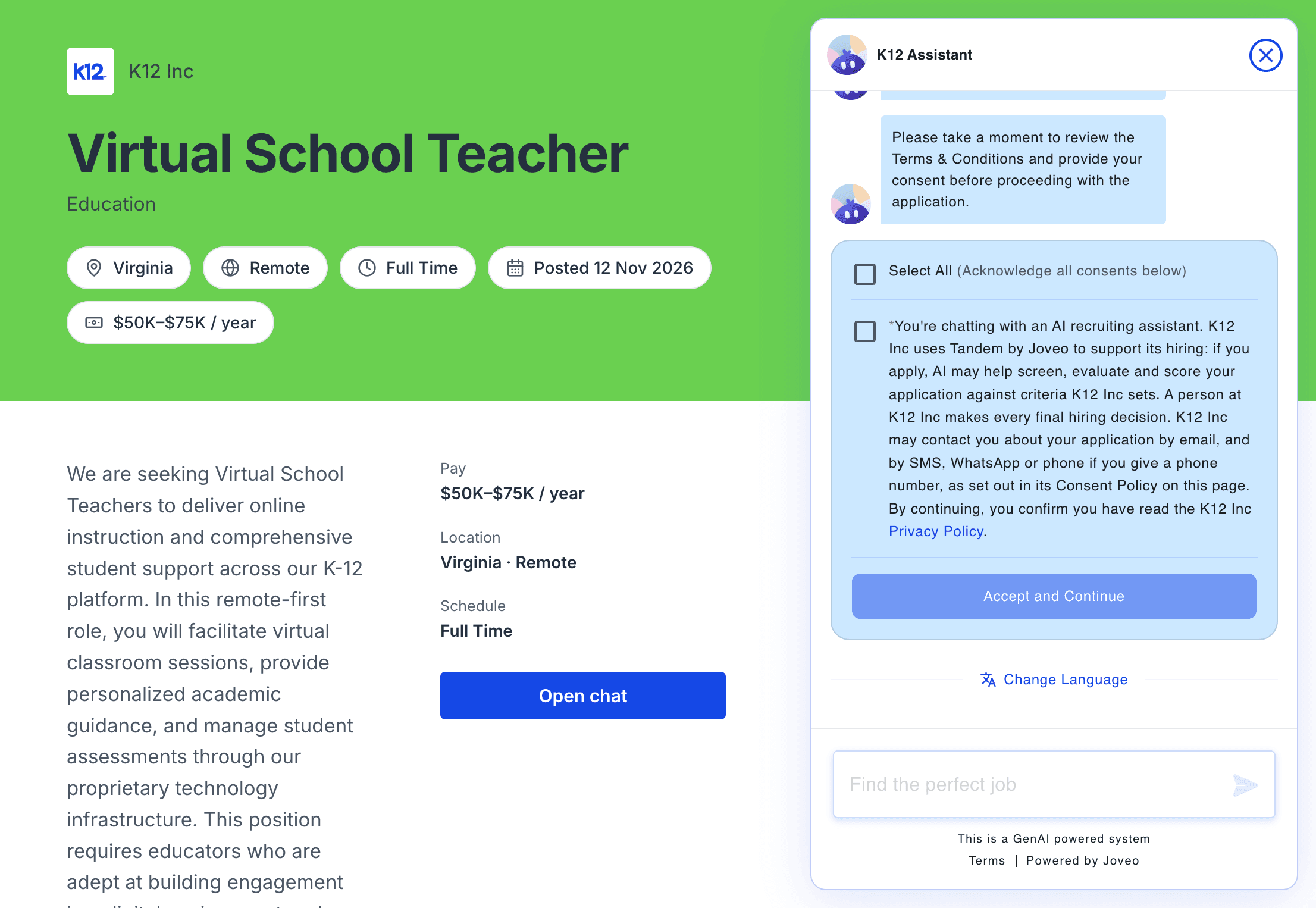
The assistant then asks for the candidate's name, email and phone, one at a time, and shows the details before the candidate clicks Submit Application. Candidates can ask questions about the role along the way. People who come from a job ad see the same assistant on a full-page view.
After they apply
The page becomes the candidate's own application page, showing where they stand and what to do next. Tandem emails them a link to come back to it.
Make it yours
Set the assistant's name and avatar, your logo and your colors in Settings → Branding. Your privacy policy and consent agreement are in Settings → Policy, and every job page links to both in its footer.
Related: Branding