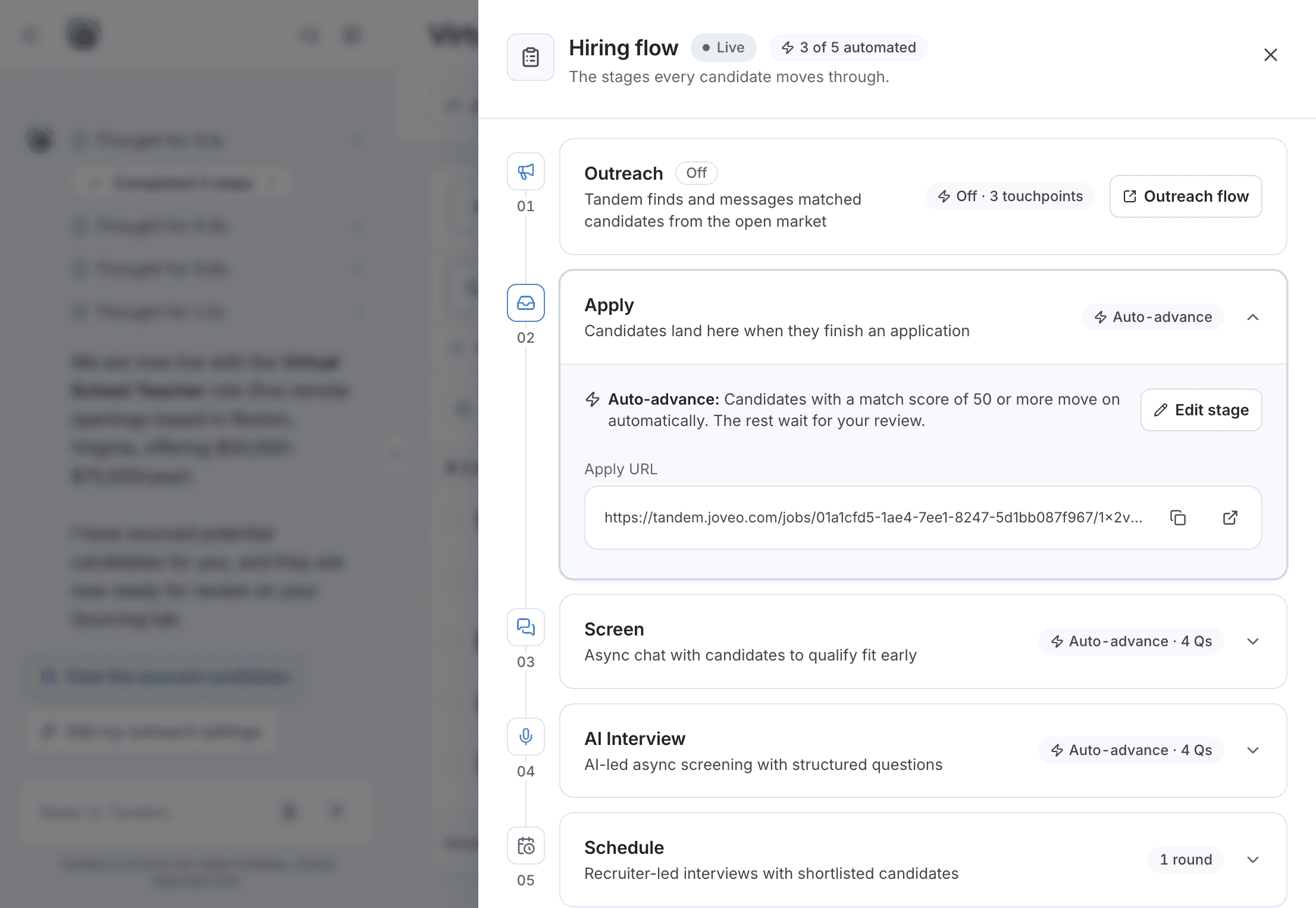
Pipeline stages
The stages a candidate moves through in a Tandem role, and the score that moves them on automatically.
Every role uses the same stages, in the same order. You choose which optional ones to keep.
The stages
| Label | What it's for |
|---|---|
Sourcing | People Tandem found who haven't applied |
Apply | Finished applications; every role has it |
Screen | A short qualifying chat, taken anytime |
AI Interview | A recorded, structured interview led by Tandem |
Schedule | Interviews with your team; you always review |
Hired, Rejected | The outcomes; only you move candidates here |
The Applicants page shows the Apply stage as "New Application". You can't add custom stages.
Moving on automatically
With Auto-advance on, candidates who score at or above the stage's bar move to the next stage. Everyone else waits for you in Needs review. Tandem never rejects a candidate.
Related: Scoring and auto-advance
Moving a candidate yourself
Open the candidate's Stage dropdown and choose any later stage, Hired or Rejected. You can skip stages, and the candidate doesn't need to finish the current one first.
Changing a stage
Click Hiring flow, expand the stage and click Edit stage. Make your changes and click Save changes. Changes apply to candidates who reach the stage afterward.